Embark on a humorous journey through the chaotic world of DIY computer upgrades, where tangled cables, stubborn hardware, and unexpected mishaps transform a straightforward task into a comedy of errors. Despite the allure of faster, more efficient systems, many find themselves wrestling with knots of wires, misplaced screws, and fitment puzzles that test patience and skill. Today’s enthusiasts approach upgrades with renewed confidence, thanks to accessible tutorials, user-friendly tools, and vibrant online communities that celebrate both successes and hilarious failures. As hardware becomes more modular and AI-assisted, the future promises smoother, less chaotic upgrades—turning what once seemed daunting into an engaging, almost effortless experience. Are you ready to navigate the messy, rewarding journey of upgrading your PC and transforming frustration into triumph? Dive into this entertaining exploration of hardware mishaps, learning curves, and the thrill of personal tech mastery.

Chaos and Comedy: Navigating DIY Computer Upgrades
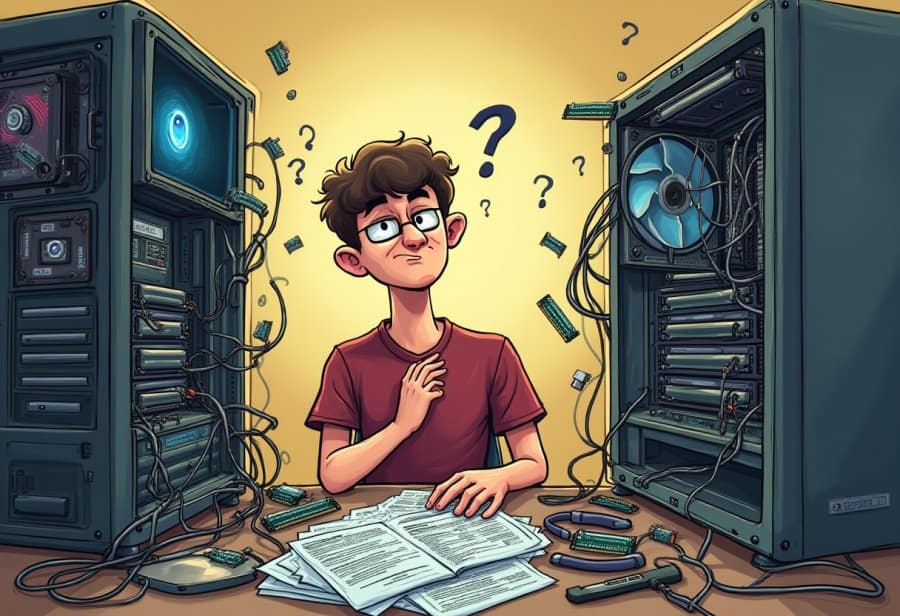
Starting a DIY computer upgrade might seem straightforward—pop open the case, swap out the parts, and you’re done. But as many have learned the hard way, it often turns into a comedy of errors. The moment you lift the side panel, a tangle of cables greets you like a wild jungle, twisting and looping into knots that resemble a plate of spaghetti more than tidy wiring. Untangling these wires without accidentally pulling out a connector or causing a short circuit can feel like solving a puzzle blindfolded.
Removing old hardware isn’t always smooth sailing either. Stubborn screws, dusty connectors, and parts that seem glued in place turn what should be a quick swap into a test of patience. Sometimes, you tug too hard on a graphics card or RAM module, risking damage—or just creating more chaos. Lost screws and clips tend to vanish into the depths of the case or hide beneath cables, transforming what should be a simple task into a treasure hunt. It’s these moments that remind you how unpredictable hardware can be.
Installing new components often introduces surprises. A shiny new GPU might be just a little too long for your case, or a CPU cooler could block access to other crucial parts. Fitment issues become puzzles, forcing you to improvise or remove other parts temporarily. This isn’t the clean, seamless upgrade many tutorials promise; it’s more like trying to fit a square peg into a round hole, with plenty of trial and error along the way.
Throughout the process, the sequence of steps can quickly get thrown off by unexpected setbacks. Forgetting to reconnect a power cable or installing RAM backwards can leave your system stubbornly refusing to boot. Small mistakes—like static shocks or incompatible parts—can send you back to square one, turning the upgrade into a frustrating obstacle course. Each misstep adds to the chaos, testing both your troubleshooting skills and patience.
Cable management tends to be the biggest source of mess. As wires pile up, they twist into knots that seem impossible to untie. Routing cables neatly becomes a frustrating exercise, especially in cramped cases where space is limited. A gentle pull on one wire can shift the entire tangle, making the mess worse. Many DIYers have stories of tangled cables or accidental spills onto exposed circuits, adding slapstick humor to an already chaotic scene.
Hardware mishaps happen more often than you’d like. For example, forcing incompatible RAM can cause system failure or damage, while bending a pin or cracking a connector is a rookie mistake often made in haste. Rushing without unplugging the power can even cause sparks or fried components, turning what should be a straightforward upgrade into an expensive lesson. These missteps serve as harsh reminders of hardware’s delicate nature and the importance of patience.
As you finally get everything assembled, the system might refuse to turn on. Troubleshooting once again becomes part of the routine: rechecking cables, reseating parts, trying different configurations. Each failed attempt feels like a reminder that even the most experienced DIYers stumble. Yet, rather than frustration, many see these moments as part of the journey—stories worth sharing and lessons learned. In the end, the chaos transforms into a humorous adventure, filled with hope, setbacks, and the satisfaction of finally seeing your upgraded system come to life.
The Anatomy of a Tech Upgrade Disaster
Once you start a hardware upgrade, things rarely unfold as smoothly as those polished tutorial videos suggest. It often begins with a surge of excitement—double-checking compatibility, gathering tools, and imagining how much faster your system will run. But the moment you open the case, chaos quickly takes over. Cables twist and loop into knots, resembling a plate of spaghetti more than neat wiring. Untangling them without pulling out a connector or causing a short becomes a game of patience and luck, often leading to more frustration than progress.
Removing old hardware isn’t always straightforward. Screws stubbornly resist, dust and old adhesive make parts stick, and tugging on components like the graphics card or RAM can feel nerve-wracking. Too much force risks damage; too little leaves parts stuck or misaligned. Lost screws and clips tend to vanish into the depths of the case or hide beneath cables, turning what should be a quick swap into a treasure hunt. Every step becomes a test of patience and a reminder of hardware’s delicate nature.
Installing new components introduces its own set of surprises. Sometimes, the shiny new GPU is just a little too long for the case, or a CPU cooler obstructs access to other parts. Fitment becomes a puzzle—forcing parts into place or removing others just to make everything work. It’s less like a clean upgrade and more like trying to fit a square peg into a round hole, with plenty of trial and error along the way.
Throughout the process, the sequence of steps often gets disrupted by unexpected setbacks. Forgetting to reconnect a power cable or installing RAM backwards can leave the system refusing to boot. Small mistakes—like static shocks, incompatible parts, or overlooked connections—can send you back to square one, turning a straightforward task into a frustrating obstacle course. Each error adds to the chaos, testing troubleshooting skills and patience alike.
Cable management is typically the biggest source of mess. Wires pile up, twist into knots, and seem impossible to untie. Routing cables neatly becomes a frustrating exercise, especially in cramped cases where space is tight. A gentle pull on one wire can shift the entire tangle, making the mess worse. Many DIYers share stories of tangled cables or accidental spills onto exposed circuits, adding a layer of slapstick humor to an already chaotic scene.
Hardware mishaps happen more often than you’d like. For instance, forcing incompatible RAM might cause system failure or damage, while bending a pin or cracking a connector is a rookie mistake that can easily occur in haste. Rushing without unplugging the power can cause sparks or fried components, turning what should be a simple upgrade into an expensive lesson. These missteps serve as stark reminders to proceed with care and patience.
As you finally assemble everything, the system might refuse to turn on. Troubleshooting resumes—rechecking cables, reseating parts, swapping configurations—each attempt feeling like a reminder that even experienced builders stumble. Yet, rather than frustration, many see these setbacks as part of the journey—stories to share and lessons to learn. In the end, this chaos becomes a humorous adventure, filled with hope, setbacks, and the satisfaction of finally seeing your upgraded system come to life.

Current Norms and Attitudes Toward DIY Hardware Tinkering
Today, DIY computer upgrades are more popular than ever, thanks to a wealth of online tutorials, forums, and social media channels that make the process feel more accessible—and even fun. Instead of viewing hardware tinkering as a daunting task, many enthusiasts now approach it with curiosity and confidence, eager to learn and share their experiences. This shift has transformed the image of DIY upgrades from something reserved for tech pros to a hobby open to anyone willing to get their hands dirty.
A big driver of this change is the abundance of step-by-step guides and video tutorials available online. Platforms like YouTube feature creators who walk viewers through every stage, often adding humor and practical tips that make complex procedures seem manageable. These resources demystify often intimidating tasks, helping beginners understand what they’re doing and avoid common pitfalls. As a result, more people feel empowered to attempt their own upgrades, even if it means encountering the occasional spaghetti cable or hardware mishap along the way.
Tools have also become more user-friendly and specialized. Today’s DIY kits include everything from miniature screwdrivers and anti-static wristbands to cable organizers, transforming what once felt like a technical chore into a more approachable project. Emphasizing organization and proper preparation, these tools help minimize chaos and make the process more manageable. This focus on planning encourages newcomers to dive in without feeling overwhelmed by the technical details or the mess that often accompanies hardware upgrades.
Many online communities celebrate both successes and failures, fostering a culture of openness and humor. Forums and social media groups are filled with stories of tangled cables, hardware fails, and funny mishaps—reminding everyone that stumbling is part of the learning process. Sharing these experiences creates a supportive environment where beginners don’t feel judged for mistakes. Instead, they see that even seasoned DIYers have their moments of chaos, which makes the journey more relatable and less intimidating.
Community and shared knowledge play a crucial role in shaping today’s DIY culture. Enthusiasts exchange advice, troubleshoot problems together, and showcase their projects—often with a humorous twist. The collective experience turns hardware upgrades into social activities, where chaos and mishaps are embraced as part of the adventure. This approach makes hardware tinkering less about perfection and more about learning, experimenting, and connecting with others who understand the chaos.
Preparation and patience are now considered essential. Experienced builders recommend doing thorough research, double-checking compatibility, and organizing tools before starting. Watching tutorials or following clear guides helps reduce surprises and keeps the chaos at bay. Even with these precautions, some mess and missteps are inevitable, but the overall tone remains optimistic. Most see these bumps in the road as part of the fun rather than failures.
Despite occasional hardware mishaps or tangled cables, the prevailing attitude is upbeat. People view DIY upgrades as opportunities to learn new skills, save money, and personalize their systems. The chaos—the missteps, the cables, the mishaps—is now seen as part of the journey, not a setback. This community-driven, playful mindset makes hardware tinkering inviting and, surprisingly, enjoyable.
In essence, the culture around DIY upgrades has become more inclusive, humorous, and supportive. It’s less about achieving perfection and more about the experience—learning, experimenting, and sharing stories of chaos and triumph alike. The shared tales of hardware fails and funny mishaps serve as a reminder that even the messiest projects can lead to a sense of accomplishment and a good laugh.
Transforming Chaos into Power: Practical Benefits of DIY Upgrades
A DIY computer upgrade isn’t just about fixing or improving your machine; it can significantly enhance your daily experience. Whether you’re browsing the web, streaming videos, or editing documents, even small hardware improvements can make a noticeable difference. Swapping out an aging hard drive for a speedy SSD, adding more RAM, or upgrading your graphics card can turn sluggish performance into smooth, responsive computing. These upgrades help reduce frustrating lag moments and make everyday tasks feel less like a chore and more like a breeze.
For gamers, the benefits are even clearer. A fresh graphics card or increased memory often results in higher frame rates and sharper visuals, transforming gaming from a frustrating experience into pure enjoyment. Suddenly, titles that used to stutter or lag are running seamlessly, allowing you to fully immerse yourself in the action. Doing these upgrades yourself might involve some chaos—cables tangled, parts fitting awkwardly—but the payoff is a system that plays your favorite games with ease, all built by your own hands.
In the realm of work, a faster, more responsive system can boost productivity. Quicker load times for large files and smoother multitasking mean less time wasted waiting for programs to respond. Upgrading your processor or adding extra RAM can make demanding creative or professional tasks—like video editing or 3D rendering—less frustrating. The result? You spend less time battling sluggish software and more time focusing on what matters, whether it’s meeting deadlines or unleashing your creativity.
Even amid the inevitable chaos of a hardware overhaul, these improvements are worth the effort. The tangled cables, fitting struggles, and troubleshooting setbacks all fade into the background when you see your system performing better. It’s rewarding to realize that, despite the mess, you’ve managed to breathe new life into your machine. The sense of achievement that comes with a successful upgrade often outweighs the temporary frustration of hardware mishaps.
Beyond performance, upgrading your PC also allows for greater customization. You can choose components that fit your specific needs—better cooling solutions, more storage, or a case that matches your style. This personal touch turns a generic machine into a tailored tool that supports your routines and hobbies. Even if the upgrade process isn’t picture-perfect, the end result reflects your effort and personality.
In a broader sense, DIY upgrades foster a sense of independence and confidence. You learn to troubleshoot, understand hardware compatibility, and handle delicate components—all skills you carry forward. Overcoming the chaos and mishaps along the way not only improves your tech but also builds resilience and problem-solving skills. It’s a process of turning a frustrating mess into a valuable learning experience.
Looking ahead, the practical benefits of DIY upgrades continue to grow. As hardware becomes more modular and user-friendly, the chaos of tangled wires and compatibility headaches might become less common. These innovations promise smoother, quicker upgrades, making the chaos of today’s projects feel more like a controlled experiment than a full-blown hardware disaster. For now, though, even with the mess, the reward is a faster, more capable system that truly serves your needs.
Future Frontiers: Innovations Shaping DIY Tech Upgrades
Looking ahead, the landscape of DIY tech upgrades is set to become more streamlined and accessible, thanks to emerging innovations that aim to reduce the chaos and frustration many experience today. Modular hardware components are increasingly popular, allowing enthusiasts to swap out parts like building blocks, which could mean fewer compatibility issues and a significant cutback on tangled cables. These plug-and-play designs are crafted for easy integration, transforming what’s often a messy puzzle into a quick, clean upgrade process.
Artificial intelligence is also making its way into hardware troubleshooting and optimization. Future tools may guide users in real time, warning about potential issues before they happen or suggesting better cable arrangements. Imagine an AI assistant that scans your build, alerts you to possible bottlenecks, or advises on optimal airflow—these advancements could turn hardware upgrades from a daunting task into a straightforward, almost effortless activity.
Self-assembling kits and robotic installation systems are on the horizon, promising to turn the chaos of manual assembly into a seamless experience. Some companies are developing components that snap into place with minimal effort or robotic arms that handle delicate fitting tasks. These innovations could eliminate many of the common frustrations—like forcing incompatible parts or untangling dozens of wires—making upgrades faster, cleaner, and more beginner-friendly.
Meanwhile, the way we learn and share about upgrades is evolving as well. Virtual reality guides and live remote assistance may soon become standard tools, allowing users to follow step-by-step instructions while seeing their setup in real-time. Point your phone at a jumble of cables, and a VR overlay could show you exactly how to organize or connect them. This fusion of technology and community makes the upgrade process less intimidating and more interactive, turning chaos into a collaborative adventure.
In the end, the future of DIY upgrades looks promising. With modular parts, smarter support, and automation on the rise, the days of wrestling with spaghetti cables and hardware mishaps could become a thing of the past. These innovations will not only make upgrading less chaotic but also more inviting for newcomers and seasoned builders alike. As these trends unfold, the messy, unpredictable world of hardware tinkering might just transform into a smooth, enjoyable experience—where chaos is replaced by creativity and confidence.